Start with a shared purpose
Nightscout remote following lets another person view uploaded diabetes data away from the phone collecting it. For a family living with type 1 diabetes, that might mean checking a child's glucose during the school day or letting a partner see the same graph during a trip. The useful question is not how many screens you can connect, but what each person needs to know and when they should get in touch.
Agree on the arrangement before installing another app. Decide who normally responds, when a check-in is welcome and which situations require a direct conversation. A graph can provide context; it cannot tell you whether someone has already noticed an alert, eaten something or taken an action that has not reached the server.
Understand the three parts of the connection
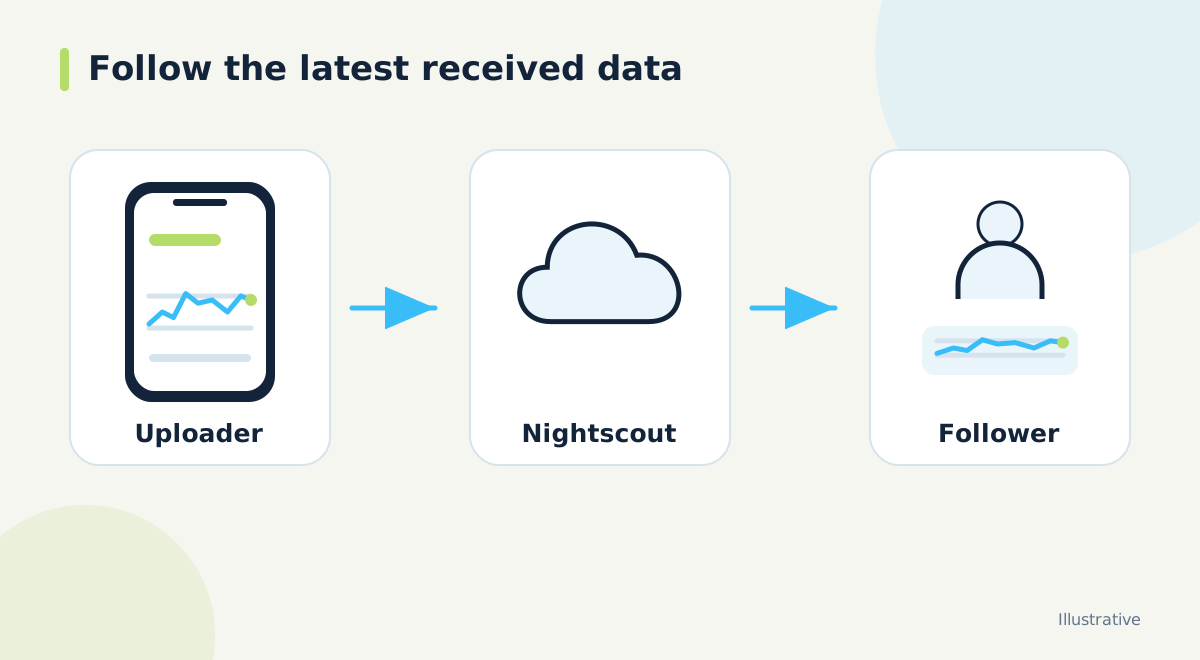
A typical setup has a source app that uploads readings, a Nightscout site that receives them and a follower app or browser that reads the site. Each part has its own connection. If the source phone loses mobile data, the follower may still open a perfectly working website that contains an older reading.
Test the complete route with both phones beside each other. Compare the most recent reading time in the source app, Nightscout and the follower display. Then repeat the comparison while the follower uses its normal internet connection. You are checking the actual arrangement your family will use, rather than assuming that opening the page proves everything is updating.
Choose a follower that fits the person
Nightscout's official documentation lists follower options for Android, iPhone and other devices. Their capabilities differ. Some focus on a clear glucose display, while others expose more uploaded information. Choose according to the phone, the information needed and the app's current instructions, then verify authentication support for your Nightscout version.
Keep the first setup simple. Someone who only needs to see readings does not need the same permissions or controls as the person maintaining the server. Avoid treating remote viewing and remote treatment commands as interchangeable features. If your family uses AAPS, follow its separate documentation before enabling anything beyond viewing.
Give the reading time as much attention as the number
Make a habit of reading the timestamp first. Ask whether it belongs to the latest glucose measurement or simply to the current phone clock. Two displays can show the same number while representing different points in time. A recent-looking graph may also contain a gap that is easy to miss on a small screen.
During your initial test, briefly disconnect only the follower phone from the internet and observe its stale-data indication. Restore the connection and confirm that new readings appear again. Do this during an ordinary, supervised moment, without interrupting the primary glucose source or changing treatment settings. Every follower should recognize what an interrupted connection looks like.
Keep sharing personal and easy to review
Where supported, provide a separate access token with only the access a follower needs. Keep a small list of the people and devices you have connected. When a school arrangement changes or an old phone is retired, review that list and remove access that no longer has a purpose.
Add Dia.best as another useful view
Dia.best can connect an existing Nightscout and show received data in its Android home-screen widget. This provides another way to check the shared picture without opening a browser each time. Confirm that the widget's reading time advances and that its units match the source before making it part of your routine.
Keep your family's communication plan alongside the technology. Write down who to contact if a phone is unavailable and how to continue with your established diabetes care plan when remote data is missing. Nightscout following adds visibility; responsibility still belongs to the people caring for the person with diabetes.
Official documentation and further reading
Software screens and compatibility can change. Check the documentation for your exact app and device versions. A remote display depends on the data source, internet access and server connection; check the time of the latest reading.